Real-time packet visualization
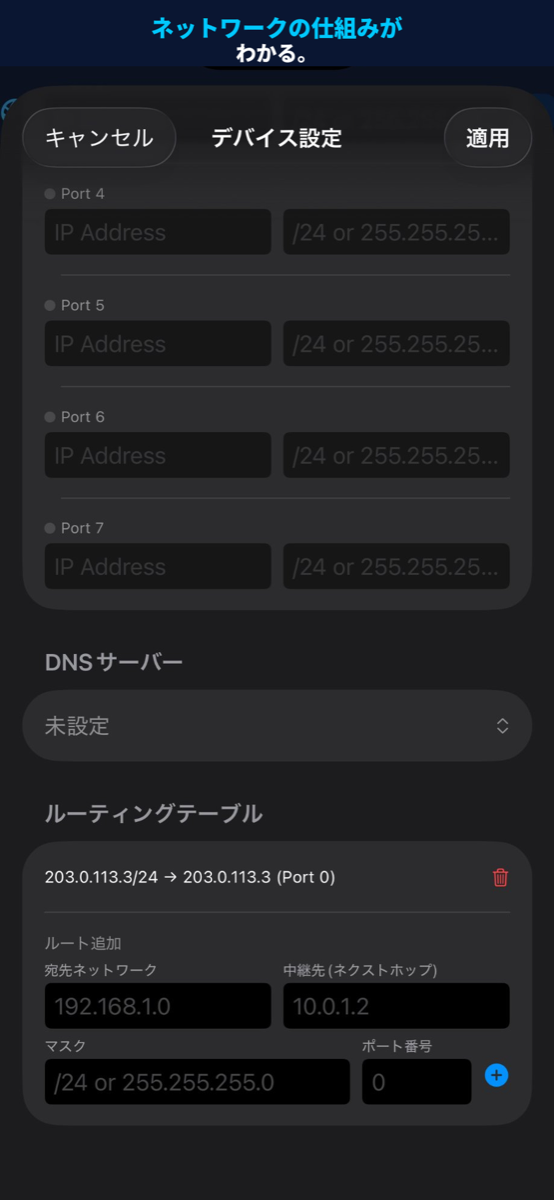
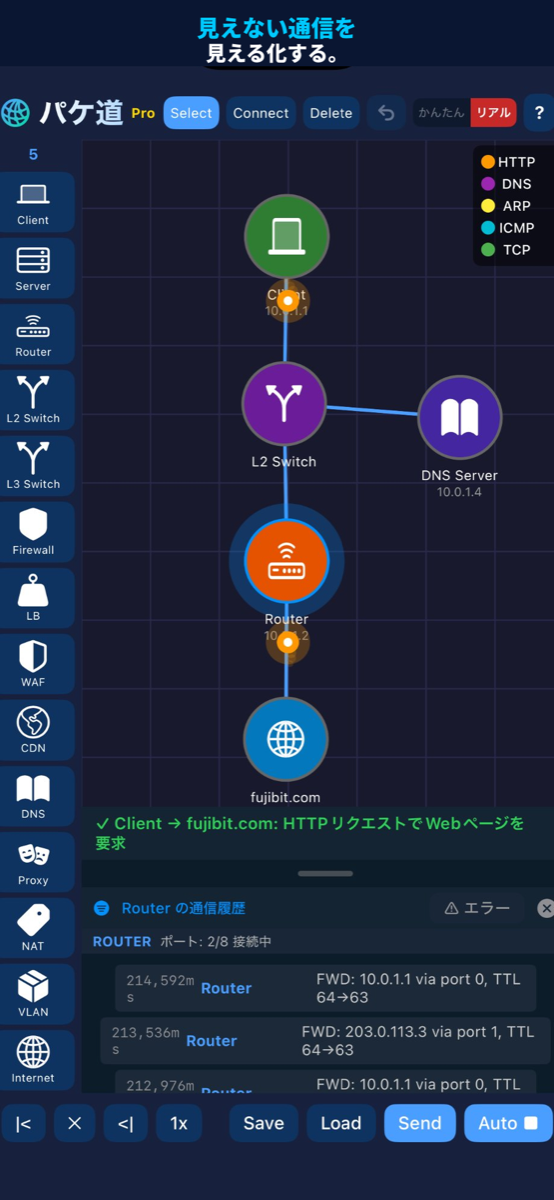
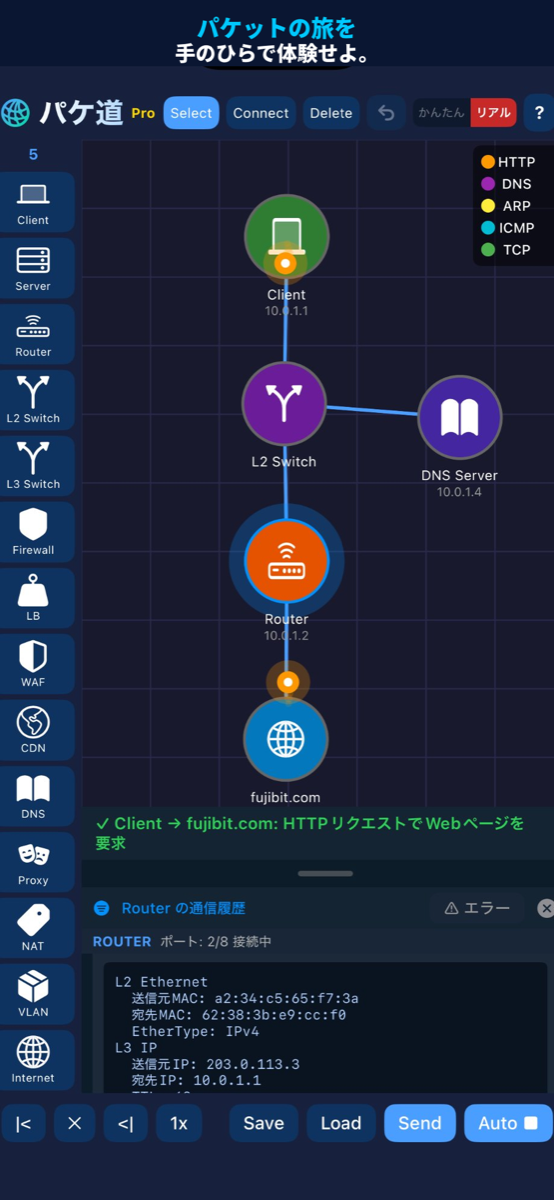
A discrete-event simulation animates packets as they travel from device to device. Each protocol has its own color, and playback runs from 0.25x to 10x.
// PAKEDOU — Network Packet Visualization Simulator
Place and connect 14 kinds of devices, such as routers, switches and firewalls, on a canvas and watch HTTP, DNS, ICMP, ARP and TCP move through them as animations. Every drop comes with the reason and a hint on how to fix it, in your device's language, so you learn how networks work by doing.
A broken network arrives every day. Send packets, read the logs, fix the settings and tap Check. Your stars depend on clearing it, using no hints and staying within par, and your time is recorded too. Share your result once you clear it.
Missions switch every day at 0:00 UTC (9:00 JST): ★1–2 on Monday and Tuesday, ★3 on Wednesday and Thursday, ★4 on Friday and ★5 on weekends (mostly compound missions with two faults at once). On days that feature a Firewall, WAF, DNS Server, VLAN Switch or Load Balancer (up to three days a week), Free users can operate those devices too, inside that day's mission. Offline, you can play the 14 missions bundled with the app. Past missions (the last 30 days) are Pro.
$ curl -s pakedou-missions.com/missions/index.json | jq .latest
"2026-10-11"

$ pakedou brief 2026-10-11
#7  ★★★★★  two_sites  Realistic mode
Story:     PC-Sales at the Osaka branch can't open
           Web-Server at head office. The WAN link is up.
Goal:      HTTP  PC-Sales → Web-Server
Par:       2 moves   Locked: Web-Server
Forbidden: adding/removing devices and cables
Hints:     0 / 3     (opening one costs a star)

$ pakedou judge
✓ CLEARED  ★★★  moves 2 / par 2  hints 0  2:41
share: PAKEDOU Today's Outage #7 ★★★  pakedou-missions.com/m/7
Not a textbook, but a network that runs. Place, connect, send, break and fix.
A discrete-event simulation animates packets as they travel from device to device. Each protocol has its own color, and playback runs from 0.25x to 10x.
In Simple mode, connecting the cables is enough. Realistic mode requires default gateways, routing tables, ARP, the TCP 3-way handshake and DNS name resolution. Switch at any time.
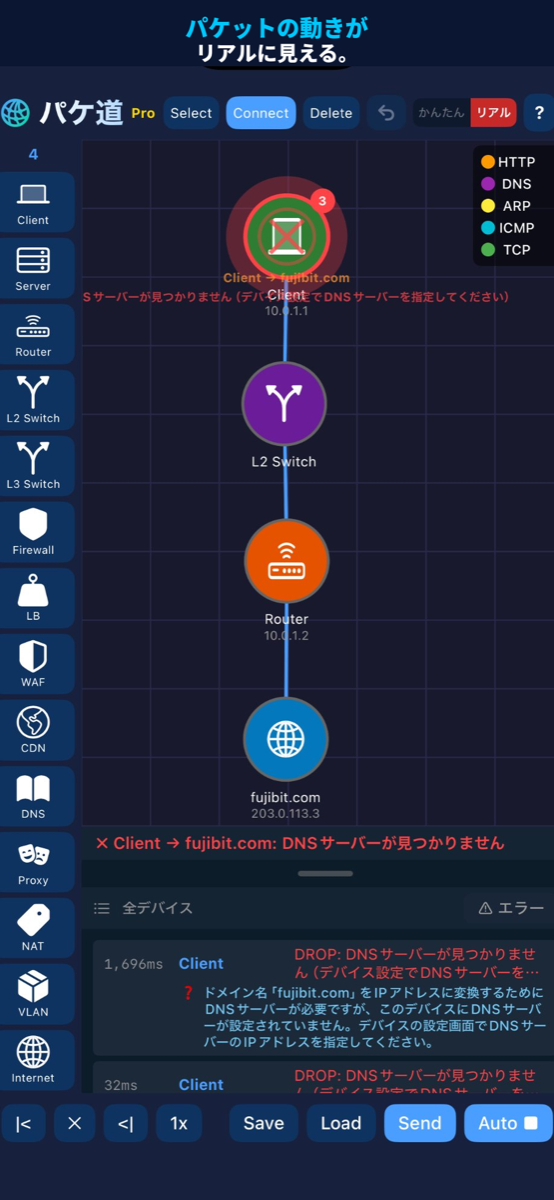
Every dropped line explains the reason and gives a hint on how to fix it. Tap a line to see what is inside each layer from L2 to L7. Tap a device to narrow the log down to that device.
IP / subnet (CIDR supported), default gateway, routing table, ACL rules, VLAN ID, DNS A records, NAT rules and load-balancing algorithm.
Pick a source, destination and protocol and send once, or send automatically every 2 seconds. Choose "All clients" as the source and "Random (server)" as the destination to send from every client at once. Send by domain name to see the real DNS → HTTP flow.
Send SQL injection and XSS requests and watch the WAF detect and stop them. Firewall ACLs are evaluated first match first, so you can run into the rule-order trap yourself.
The six-page guide on first launch has an animation on every page. When it ends, Client → L2 Switch → Server are already in place: press Send and packets start flowing.
74 languages, including Japanese, English, Chinese, Korean, Spanish, French, Arabic and Hindi. The screens, the logs and Today's Outage all follow your device's language automatically. All languages
Save what you build to a named slot (Free 1 / Pro 5). The data stays on your device and is never sent anywhere.
Switch with the toggle in the toolbar. Both modes are available to every user.
| Simple | Realistic | |
|---|---|---|
| Routing | Discovered automatically | Routing table only |
| To another subnet | Reached automatically | Default gateway required |
| MAC address resolution | Instant | ARP (REQUEST → REPLY, cache) |
| TCP connection | Implicit | 3-way handshake (SYN → SYN+ACK → ACK), then HTTP |
| Sending by domain name | Resolved instantly | DNS server setting and A record required |
Free: 5 device types, up to 5 devices. Pro: all 14 types, unlimited devices. Inside Today's Outage, Free users can operate Pro devices too.
$ legend
Pro is a one-time purchase. No subscription.